

Have you ever looked at a room, a closet, or those boxes that have been sitting there for years and felt completely overwhelmed? You want to start, but the sheer number of decisions—what to keep, what to toss, where everything should go—is exhausting. It's not laziness. It's a real phenomenon called 'decision fatigue,' a state of mental exhaustion that can stop progress before it even begins, leaving you feeling stuck.
Traditional organizing methods often don't work because they fail to address this root problem. They ask you to make hard, emotional choices right away, like "does this spark joy?", a process that can lead to burnout and leave you feeling more paralyzed than when you started. But what if you could bypass the overwhelm? What if technology could help you make the easiest decisions first, building the momentum you need to keep going?
This guide dives into the best apps for home organization, each designed to solve a different piece of the home management puzzle. We will move beyond simple checklists to explore powerful tools that can help you turn clutter paralysis into progress, coordinate your family’s busy schedule, manage recurring household chores, and even turn unwanted items into cash.
We’ve done the research to provide a comprehensive breakdown of each application, including detailed feature analysis, honest pros and cons, clear pricing information, and real-world use cases. Every recommendation includes screenshots and direct links to get you started immediately. Whether you're downsizing, managing a busy household, or just trying to reclaim your living space, the right app can turn that feeling of being stuck into tangible progress, one small, rewarding step at a time.
1. DeClutter Now
DeClutter Now stands out as a powerful, psychology-backed solution for anyone who feels stuck or overwhelmed by their stuff. It directly addresses the core problem of "clutter paralysis"—the decision fatigue that prevents so many of us from even starting. Instead of offering generic tips, this app functions as an AI-powered coach that helps you make the easiest decisions first, turning immense tasks into a series of quick wins.
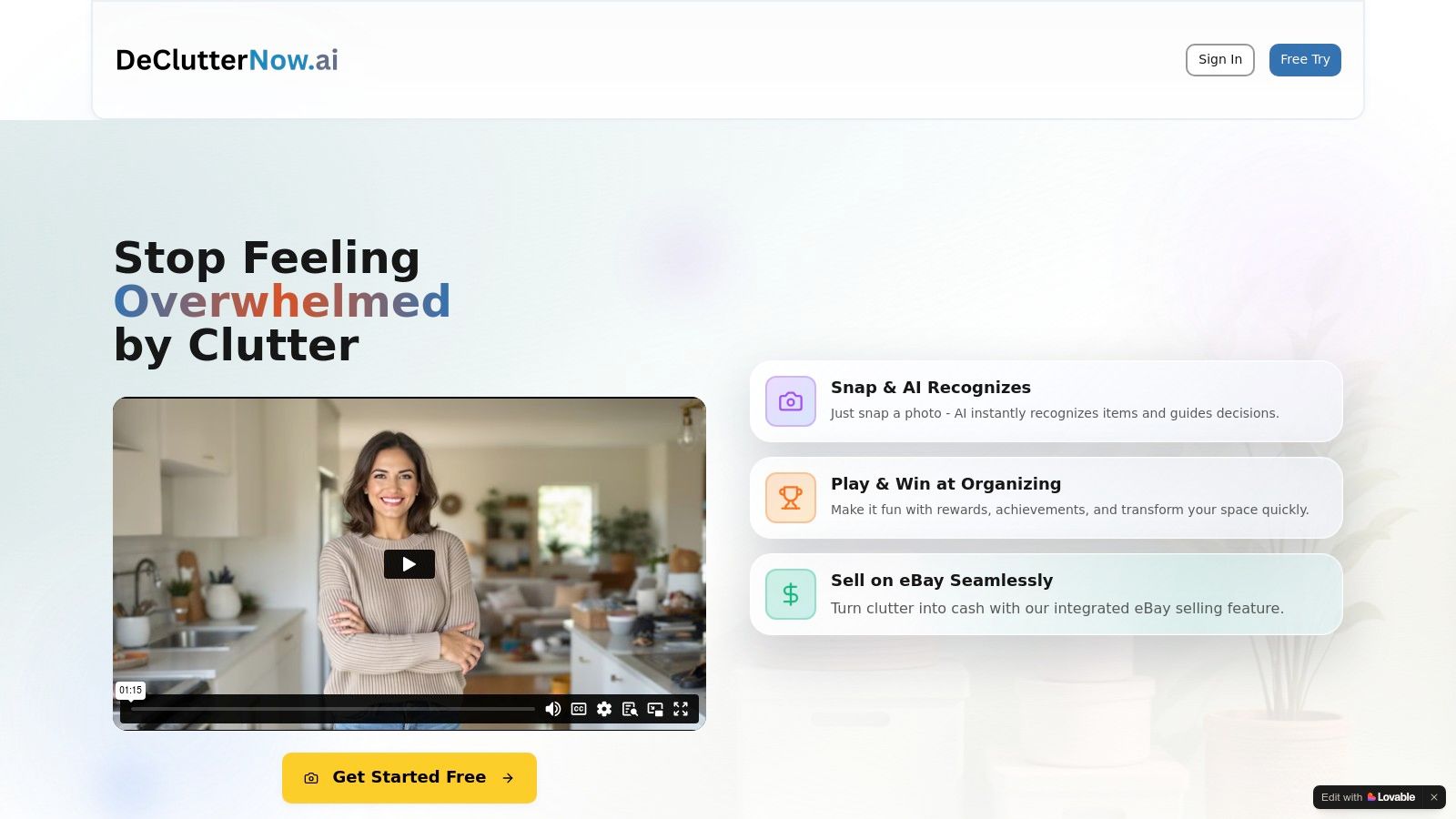
Its brilliance lies in its "Trash First" methodology. You simply snap a photo of an item, and the app’s AI instantly recognizes it and recommends an action based on the proven Four-Box Method: Keep, Relocate, Donate/Sell, or Trash. By starting with obvious trash, you get a quick dopamine hit that builds the momentum needed to keep going. This system helps turn overwhelm into action, a core principle that makes it one of the best apps for home organization. To learn more about how this approach works, you can explore the connection between decision paralysis and clutter-free living.
Key Features & Benefits
DeClutter Now is more than just an inventory tool; it’s a comprehensive system designed to motivate and deliver tangible results.
- AI Breaks Through Decision Fatigue: The computer vision and AI analysis remove the guesswork. It provides an objective recommendation that helps you move past emotional attachment and indecision.
- Integrated eBay Selling Assistant: This feature is a game-changer for turning unwanted items into cash. The assistant helps create optimized titles, suggests pricing, and pre-fills an eBay listing, streamlining the selling process to just a few minutes. Users have reported earning an average of over $300.
- Psychology-Backed "Trash First" Method: The app utilizes a "Trash First" method, encouraging users to tackle the most obvious clutter to generate quick wins. This builds the confidence and momentum needed to address more difficult items later.
- Progress Tracking Creates Momentum: Gamification elements like rewards and achievements keep you engaged. The visual before-and-after sliders and progress trackers make your accomplishments tangible, fueling your motivation to continue.
Who It's Best For
This app is exceptionally well-suited for individuals and families who feel paralyzed by their clutter and don't know where to begin. It's also an invaluable tool for resellers and side-hustlers looking to efficiently list items for sale. Because it works offline, it’s perfect for sorting through storage units or basements with poor connectivity.
Pricing & Availability
DeClutter Now offers a free start to get users acquainted with its core features. The website does not publicly list detailed pricing for paid tiers, so users will need to explore the app for potential upgrade information. It is accessible via its web-based platform.
Website: https://app.declutternow.ai
2. Apple App Store
For anyone integrated into the Apple ecosystem, the App Store is the essential starting point for discovering the best apps for home organization. It serves as a vast, curated library where you can find everything from sophisticated home inventory systems to simple cleaning schedulers. Unlike an open web search, every app listed has been vetted by Apple for security and functionality, providing a crucial layer of trust.
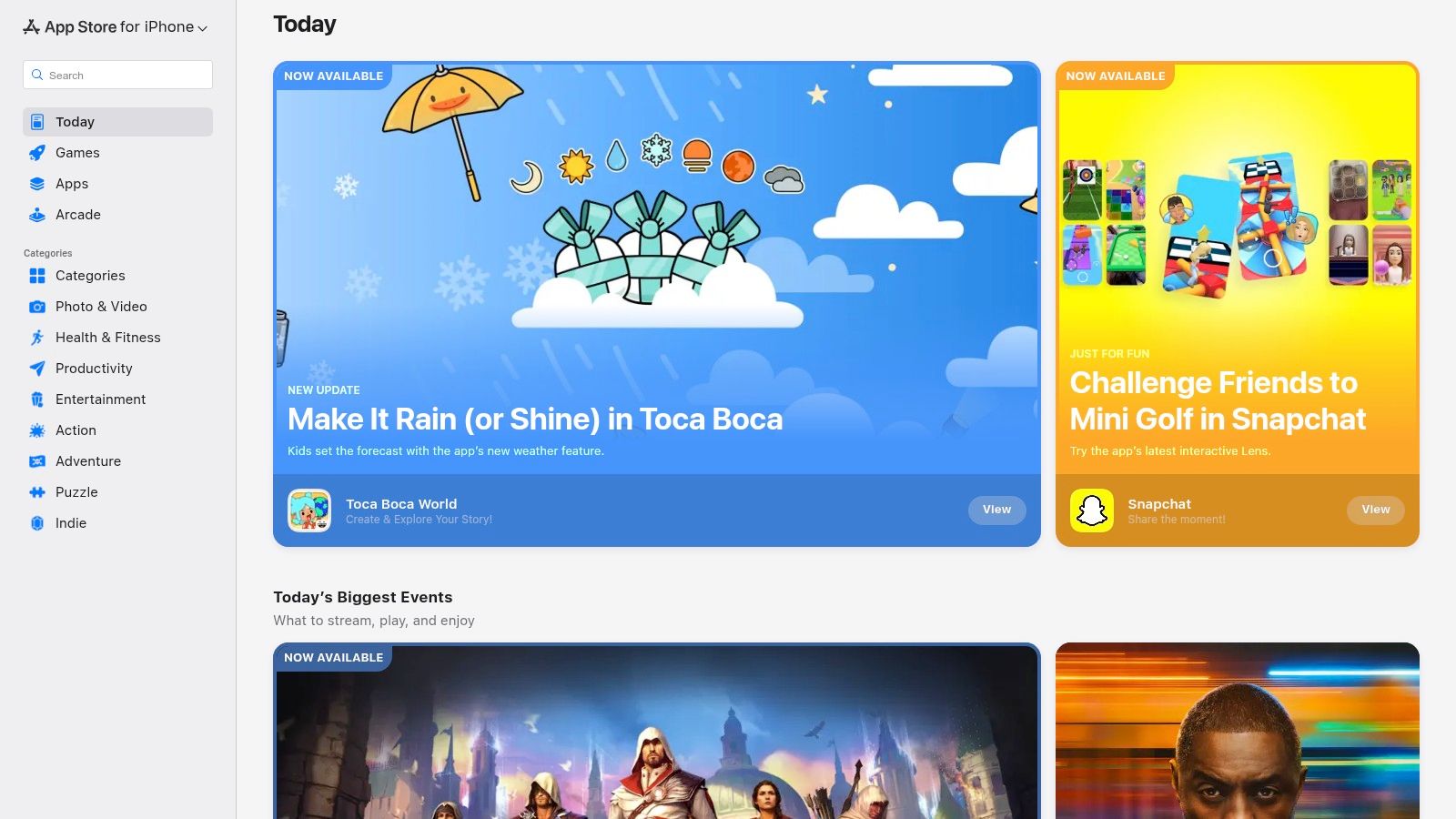
The platform excels at discovery. Its editorial team frequently curates collections like "Apps for a Tidy Home" in the Today tab, spotlighting innovative tools you might otherwise miss. User ratings and detailed reviews offer real-world feedback, helping you gauge an app's effectiveness before downloading. This is particularly useful when you feel overwhelmed and just need a tool that works without a lengthy trial-and-error process.
Navigating the App Store for Organization
The key benefit is the seamless integration. Purchases and subscriptions are tied to your Apple ID, and Family Sharing allows you to share eligible paid apps with your household, cutting down on costs. However, its greatest strength is also its main limitation: it's exclusive to iOS, iPadOS, and macOS. If your household uses a mix of Android and Apple devices, you'll need to find cross-platform solutions.
- Pros:
- Vetted, secure, and malware-free downloads.
- Honest user reviews and ratings to guide decisions.
- Simple subscription management and Family Sharing.
- Cons:
- Exclusive to Apple devices, excluding Android users.
- Web-based browsing only serves as a preview; installation requires an Apple device.
Website: https://apps.apple.com/us
3. Google Play Store
For the millions of Android users, the Google Play Store is the primary gateway to finding the best apps for home organization. As the official marketplace for Android, it offers a massive, diverse catalog of tools ranging from comprehensive family organizers and chore trackers to specialized inventory management apps. Google’s built-in security scanner, Play Protect, provides a baseline of safety by checking apps for malicious behavior.
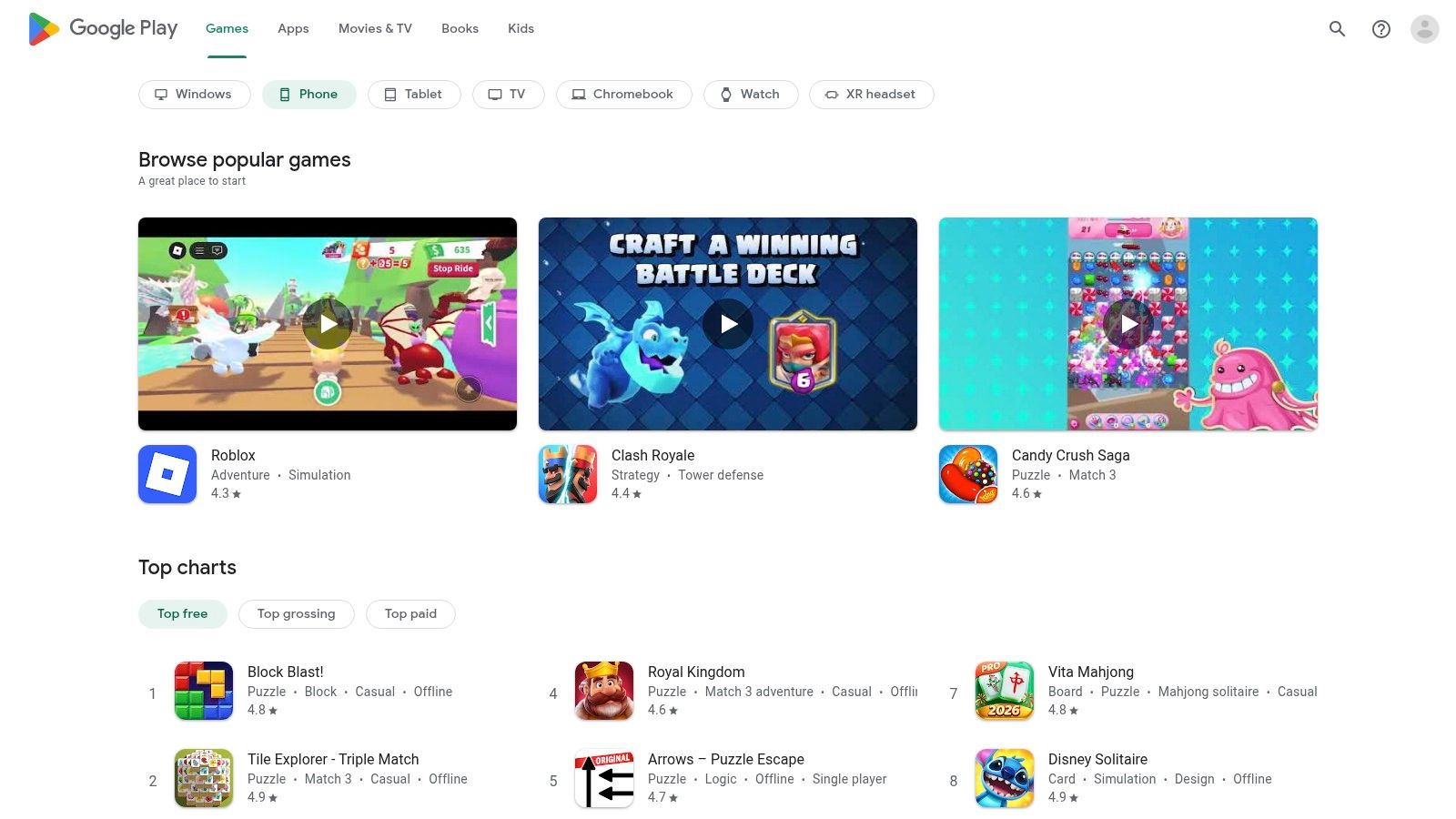
The platform’s strength lies in its sheer breadth and accessibility. Detailed app pages with user reviews, ratings, and developer responses help you evaluate an app's suitability before installation. This feedback is critical when you’re looking for a reliable tool to help manage the overwhelming feeling of clutter and need something that just works. Its open nature means you can find innovative apps that cater to very specific organizational needs.
Navigating the Play Store for Organization
A key advantage for families is the Google Play Family Library, which allows you to share eligible app purchases with up to five family members, making it a cost-effective solution. However, this accessibility is also its biggest challenge. The platform's vastness can sometimes make it harder to find high-quality, polished apps amidst a sea of clones. Its main benefit is its broad compatibility across nearly all Android phones, tablets, and many Chromebooks.
- Pros:
- Vast selection of apps for every organizational need.
- Broad compatibility across Android devices and many Chromebooks.
- Family Library can save money for multi-user households.
- Cons:
- Not all apps or in-app purchases are eligible for Family Library.
- Quality can be inconsistent compared to more curated stores.
Website: https://play.google.com/store
4. Cozi Family Organizer
For households struggling to coordinate schedules, chores, and shopping, Cozi is one of the best apps for home organization because it was built specifically for that purpose. It moves beyond individual task lists and transforms into a central command center for the entire family. Its core function is a shared, color-coded calendar that instantly shows who needs to be where, ending the chaos of conflicting appointments and forgotten practices.
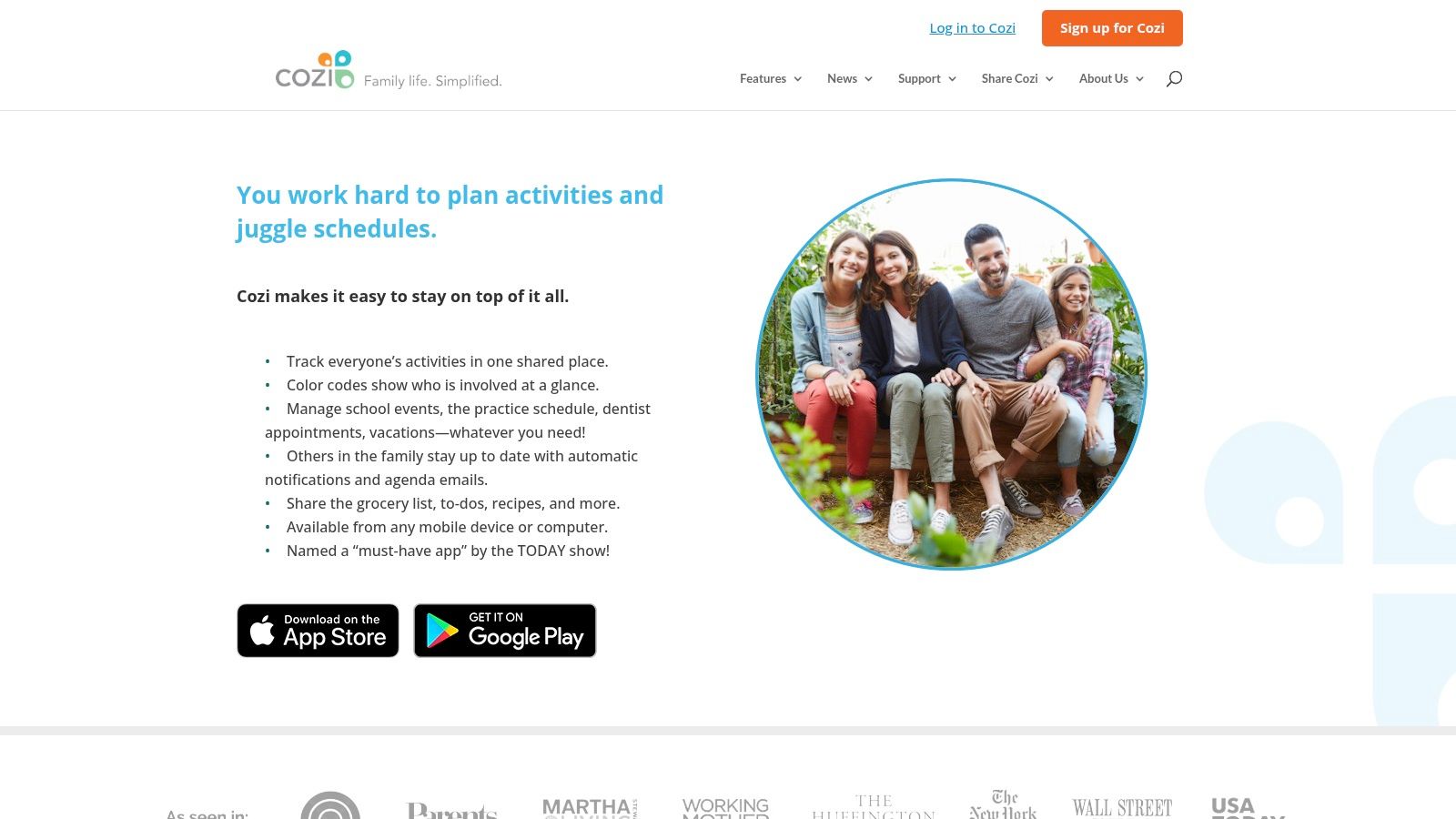
The platform excels by integrating multiple household management tools into one accessible interface. Shared grocery lists update in real-time, so anyone at the store knows exactly what to grab. The recipe box keeps meal planning simple, and shared to-do lists ensure everyone knows their responsibilities. This integrated approach prevents the need to juggle multiple apps, which often leads to more confusion rather than less.
Navigating Cozi for Family Harmony
The key benefit of Cozi is its cross-platform availability; family members can access and update information from any iOS, Android, or web-based device, ensuring everyone is on the same page. This is especially useful for setting up a consistent cleaning schedule that everyone can see and follow. A weekly agenda email is automatically sent out, providing a snapshot of the upcoming week to keep family members aligned. While the core features are free, a Cozi Gold subscription is required to unlock premium functions like a birthday tracker and mobile month view.
- Pros:
- Free core app specifically designed for family coordination.
- Works seamlessly across iOS, Android, and web browsers.
- Strong reputation and a long, trusted track record.
- Cons:
- Premium features like the birthday tracker require a Cozi Gold subscription.
- Not as powerful for detailed project management as dedicated tools.
Website: https://www.cozi.com
5. AnyList
While many organization apps focus on physical items, AnyList targets the epicenter of household chaos: the kitchen. It’s a powerful grocery list, recipe keeper, and meal planner designed to streamline how you shop, cook, and stock your pantry. Its core strength lies in its fast, reliable syncing, making it a favorite for families and roommates trying to coordinate shopping trips and avoid duplicate purchases.
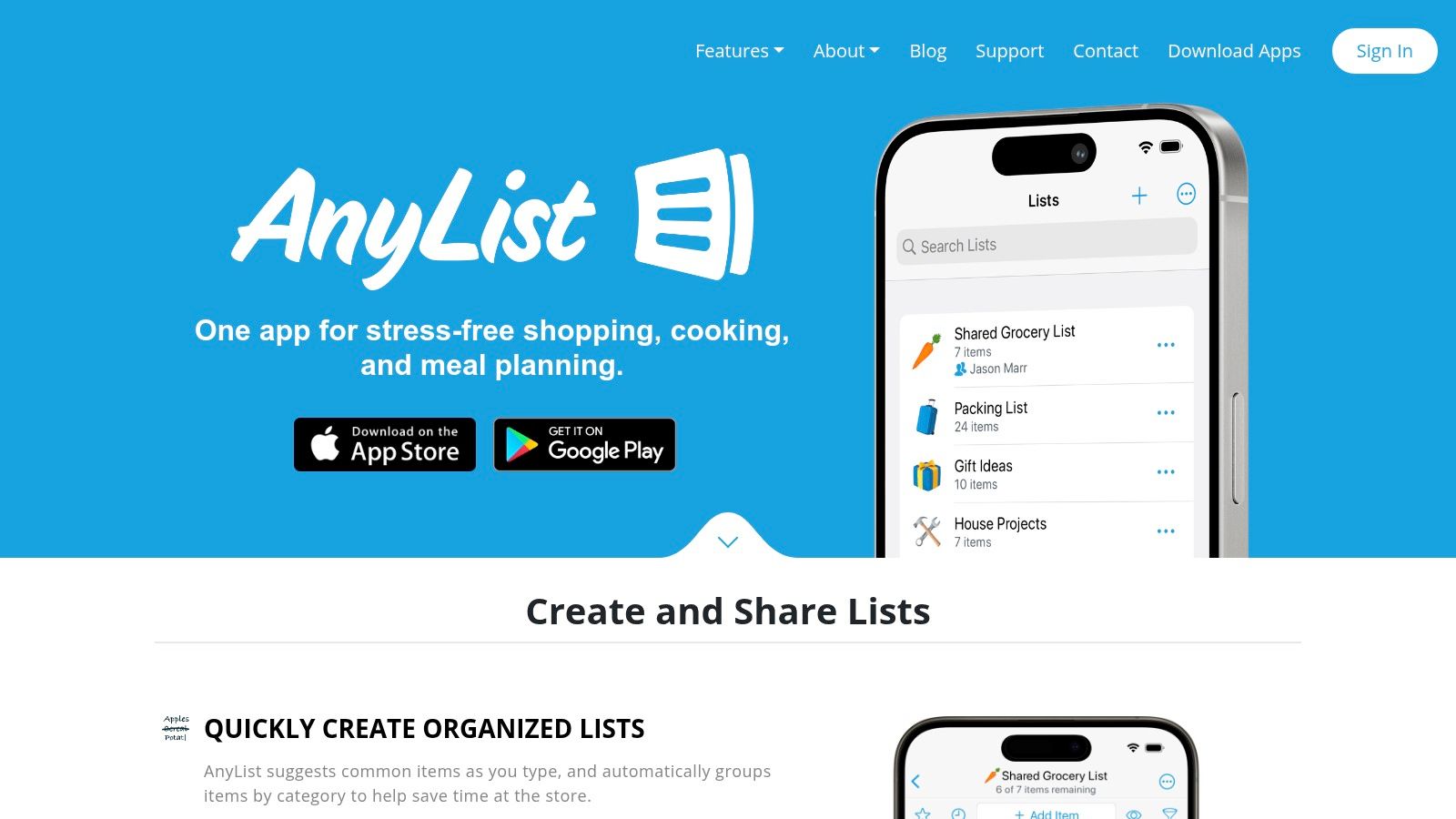
The platform is more than just a shared list. You can import recipes from thousands of websites, and with a single tap, add all necessary ingredients to your shopping list. As you shop, items are automatically sorted into grocery store categories (produce, dairy, etc.), saving you from backtracking. This approach makes it one of the best apps for home organization by preventing pantry clutter and food waste before it even starts.
Navigating AnyList for Kitchen Sanity
The free version is highly functional for basic list sharing, but the real power is unlocked with the AnyList Complete subscription. This adds features like a meal planning calendar, a dedicated pantry list to track what you already have, and the ability to add photos to list items. The seamless integration across iOS, Android, and a web app ensures everyone in the household is always on the same page, whether they're at home or at the store.
- Pros:
- Exceptionally fast and reliable list syncing for families.
- One-click recipe import adds all ingredients to your list.
- Lists are intelligently auto-categorized by store aisle.
- Cons:
- Key features like meal planning and pantry tracking require a paid subscription.
- Primarily focused on kitchen and grocery tasks, not whole-home decluttering.
Website: https://www.anylist.com
6. Sortly
Sortly is a premier visual inventory system designed to answer the question, “Where did I put that?” for good. It transforms the overwhelming task of tracking your belongings into a manageable, visual catalog. By allowing you to create a digital inventory with photos, custom fields, and QR code labels, it stands out as one of the most powerful best apps for home organization, especially for managing items in storage, during a move, or for insurance purposes.
The platform shines with its intuitive folder-based system, letting you visually organize items just like files on a computer. You can add high-resolution photos, attach receipts, note warranty information, and even track quantities. This detailed approach is perfect for those who have spent countless hours trying to remember what’s inside a specific moving box or storage bin, turning a stressful search into a quick app lookup.
Navigating Sortly for Organization
The core benefit of Sortly is its robust tracking and labeling feature. You can generate and print custom QR or barcode labels for your boxes, scan them with your phone’s camera, and instantly see a complete list of contents without ever opening the box. While tools like this help you track what you own, you still need a system to decide what to keep in the first place. You can learn more about how to organize a cluttered home to ensure you’re only inventorying what matters.
- Pros:
- Highly polished visual interface for easy cataloging.
- Label printing and QR/barcode scanning streamline storage management.
- Detailed item tracking with custom fields, photos, and notes.
- Cons:
- Free plan is very limited, capped at 100 unique items.
- Pricing tiers can feel business-oriented and may be too robust for casual users.
Website: https://www.sortly.com
7. Tody
Where many organization apps focus on decluttering or inventories, Tody hones in on a critical, ongoing part of home management: cleaning. It turns the relentless cycle of household chores into a manageable, gamified routine. Instead of relying on a rigid calendar, Tody visualizes the current cleanliness level of each area, helping you prioritize what actually needs attention and breaking the cycle of decision fatigue around what to clean next.
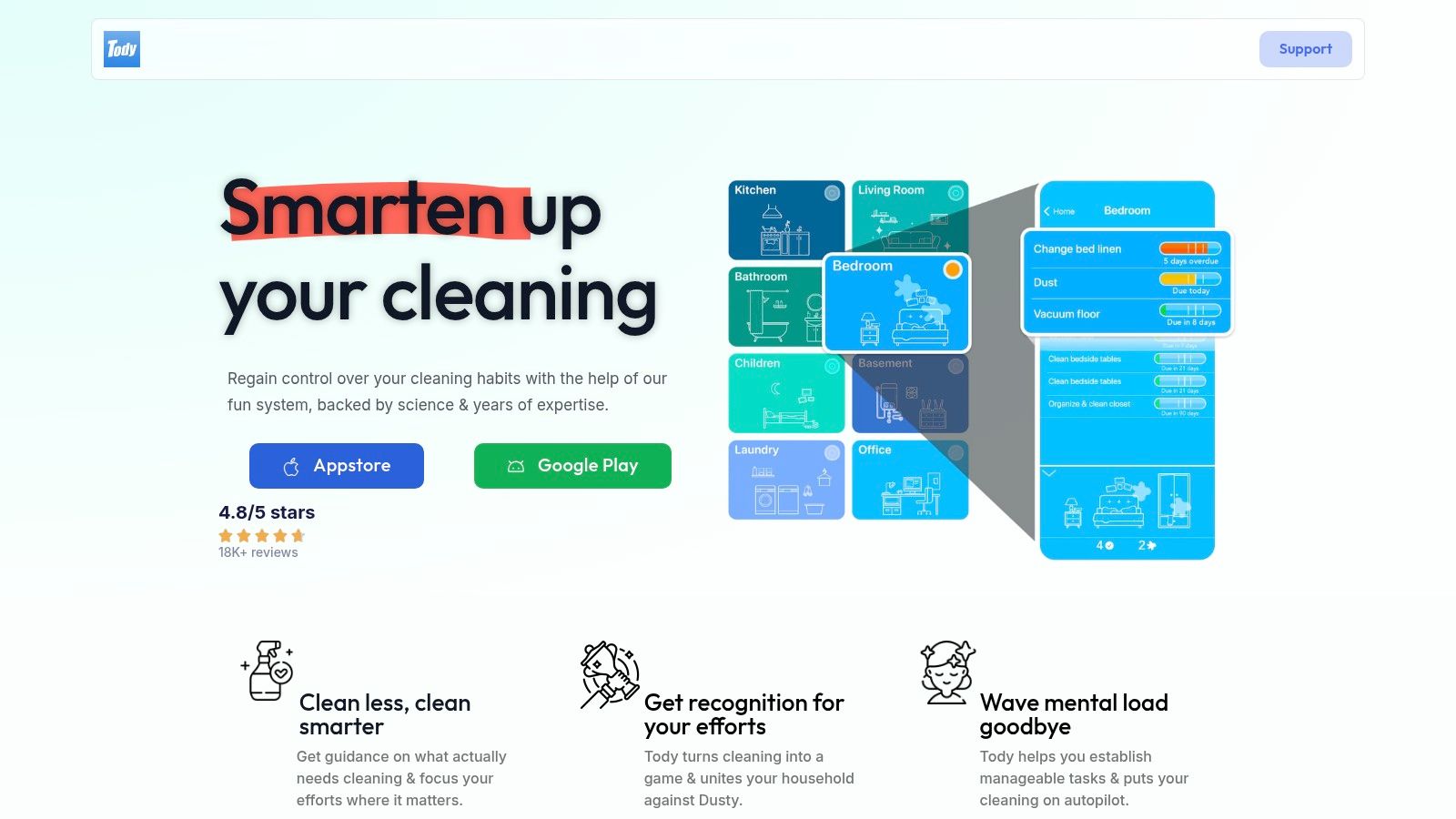
The app's strength lies in its intelligent scheduling. You tell it how often a task should be done, and it creates a dynamic to-do list based on what’s most overdue. This approach makes it one of the best apps for home organization for those who feel overwhelmed by upkeep. By turning cleaning into a game where you fight dirt, it introduces a layer of motivation that helps build consistent, long-term habits without the pressure of a fixed schedule.
Gamifying Your Cleaning Routine
Tody is designed to reduce the mental load of maintaining a home. The visual indicators provide a quick, at-a-glance status of your entire house, so you can spend five minutes cleaning the most impactful area instead of wondering where to start. While the free version is robust for solo users, coordinating with family or managing multiple properties requires a premium subscription.
- Pros:
- Visual "cleanliness indicators" make prioritization simple.
- Motivational gamification encourages building cleaning habits.
- Flexible system adapts to your actual needs, not a rigid calendar.
- Cons:
- Core collaboration features (syncing, multiple users) are behind a paywall.
- Strictly focused on cleaning tasks, not broader home management.
Website: https://todyapp.com
8. Sweepy
For households struggling with the never-ending cycle of chores, Sweepy offers a refreshing, gamified solution. It reframes cleaning from a dreaded task into a collaborative game, making it one of the best apps for home organization, especially for families and roommates. Instead of a static to-do list, the app creates a dynamic schedule based on room cleanliness scores, which drop over time, motivating users to tackle tasks before they become overwhelming.
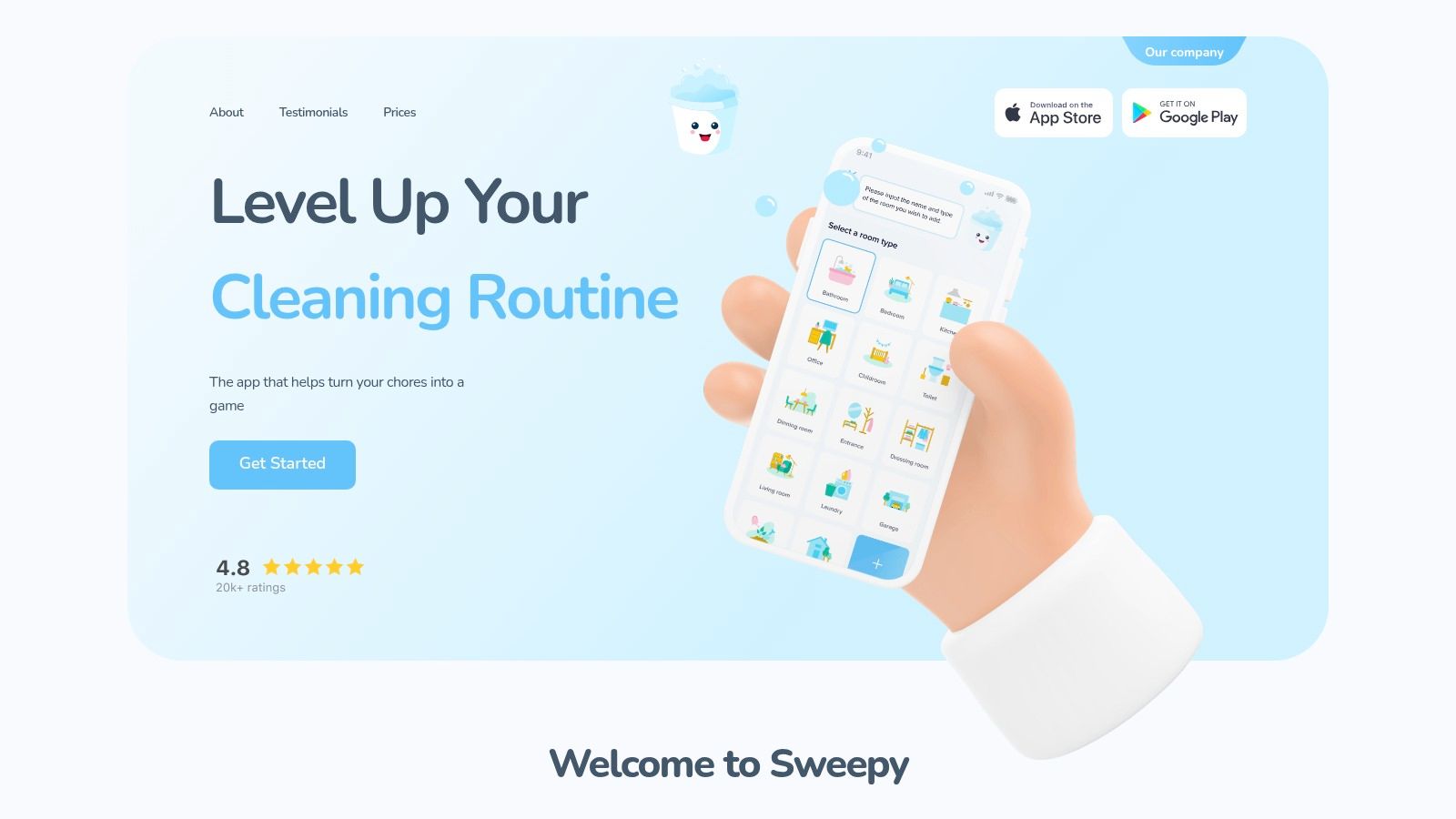
The platform truly shines in shared living situations. Users earn points for completing chores, which are displayed on a household leaderboard, introducing a friendly competitive element. This approach helps distribute the workload more evenly and provides a visual representation of everyone's contributions, which can reduce arguments about who does what. The system is designed to build positive momentum around maintaining a tidy space.
Gamifying Your Cleaning Routine
Sweepy's smart schedule adapts to your routine, prioritizing tasks based on how dirty a room is. This prevents you from doing unnecessary work and focuses your limited time where it’s needed most. For parents, a key feature is the ability to assign tasks to children and approve their completion, teaching responsibility in a structured way. While it excels at chore management, it's not designed to be a comprehensive home inventory or calendar app.
- Pros:
- Fun, motivating approach turns cleaning into a game.
- Leaderboards and points encourage household participation.
- Excellent for managing and distributing chores among family or roommates.
- Cons:
- The best features and unlimited scheduling require a premium subscription.
- Strictly focused on cleaning schedules; lacks other home organization tools.
Website: https://sweepy.com
9. Todoist
For organizing tasks rather than physical items, Todoist stands out as a premier task manager. While not a decluttering tool in itself, it’s one of the best apps for home organization projects, breaking down overwhelming goals like "clean the garage" into manageable, scheduled sub-tasks. Its power lies in its simplicity and cross-platform reliability, ensuring your to-do list is always in sync, whether you're on your phone, tablet, or computer.
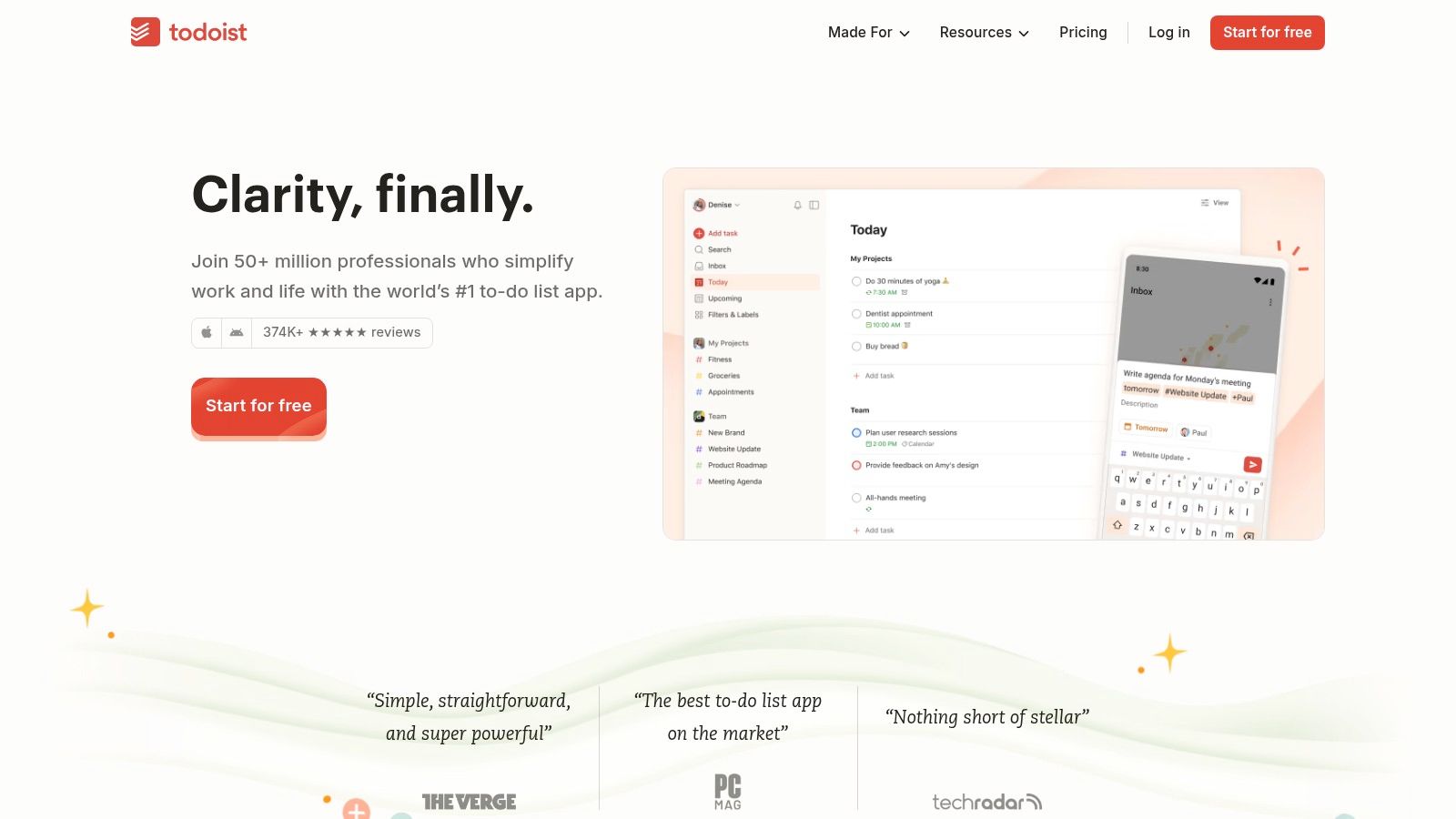
The platform is renowned for its natural language input; you can simply type "Schedule deep clean of kitchen for Saturday" and Todoist will automatically create the task with the correct due date. You can create shared projects for family members or roommates, assigning tasks and deadlines to keep everyone accountable for chores and home maintenance. This transforms organization from a solo effort into a collaborative household system.
Navigating Todoist for Home Projects
The key benefit is its flexibility. You can create simple checklists for groceries, or complex, multi-stage projects for a home renovation using boards, labels, and priority levels. However, many of the most useful features, like filters and reminders, are locked behind a paid subscription. While the free version is functional for basic lists, unlocking its full potential for home management requires a financial commitment.
- Pros:
- Polished, intuitive user experience across all major platforms.
- Powerful collaboration features for shared household tasks.
- Natural language input makes adding tasks fast and easy.
- Cons:
- Essential features like reminders require a paid subscription.
- Can feel like overkill for users who only need simple checklists.
Website: https://todoist.com
10. Microsoft To Do
For households looking for one of the best apps for home organization without a price tag, Microsoft To Do is a powerful contender. It transforms the overwhelming task of managing household chores and projects into a simple, shared to-do list. Its core strength lies in its seamless integration with the Microsoft ecosystem and its cross-platform availability, making it perfect for families using a mix of devices.
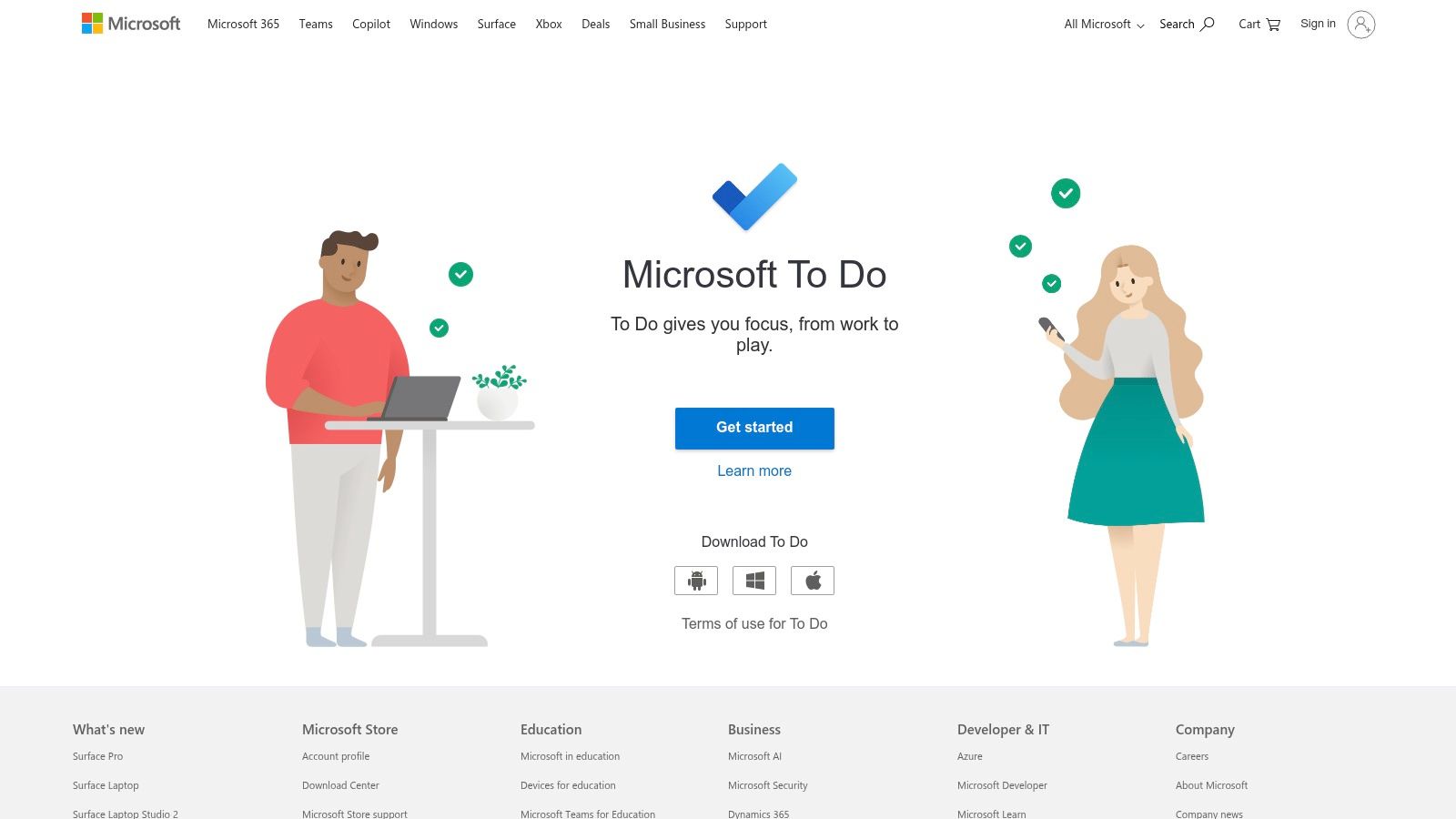
The app excels at collaboration. You can create a shared "Weekly Chores" list, assign tasks like "Take out recycling" to specific family members, and set due dates to keep everyone accountable. The "My Day" feature provides a clean slate each morning, encouraging you to pull in tasks from various lists to focus on what’s important now. This prevents the kind of overwhelm that leads to "clutter paralysis," where a massive list feels too daunting to even start.
Navigating Household Tasks with To Do
Microsoft To Do’s true value comes from its simplicity and accessibility. Because it's free with a Microsoft account, there’s no barrier to getting the whole family on board. Flagged emails in Outlook can automatically become tasks, which is handy for tracking bills or home repair appointments. While it may lack the complex project management features of paid alternatives, it offers more than enough power for organizing daily, weekly, and one-off household responsibilities.
- Pros:
- Completely free with a Microsoft account.
- Excellent for sharing lists and assigning tasks within a household.
- Works across iOS, Android, Windows, and the web.
- Cons:
- Lacks advanced features like sub-tasks or complex dependencies.
- Best integrations require using other Microsoft products like Outlook.
Website: https://to-do.microsoft.com
11. Trello
While often associated with business projects, Trello's visual, card-based system is an incredibly powerful tool for home organization. Think of it as a digital whiteboard where you can map out everything from a kitchen renovation to a weekly chore schedule. Its strength lies in turning complex, multi-step projects into manageable, visual workflows that the whole family can understand and use.
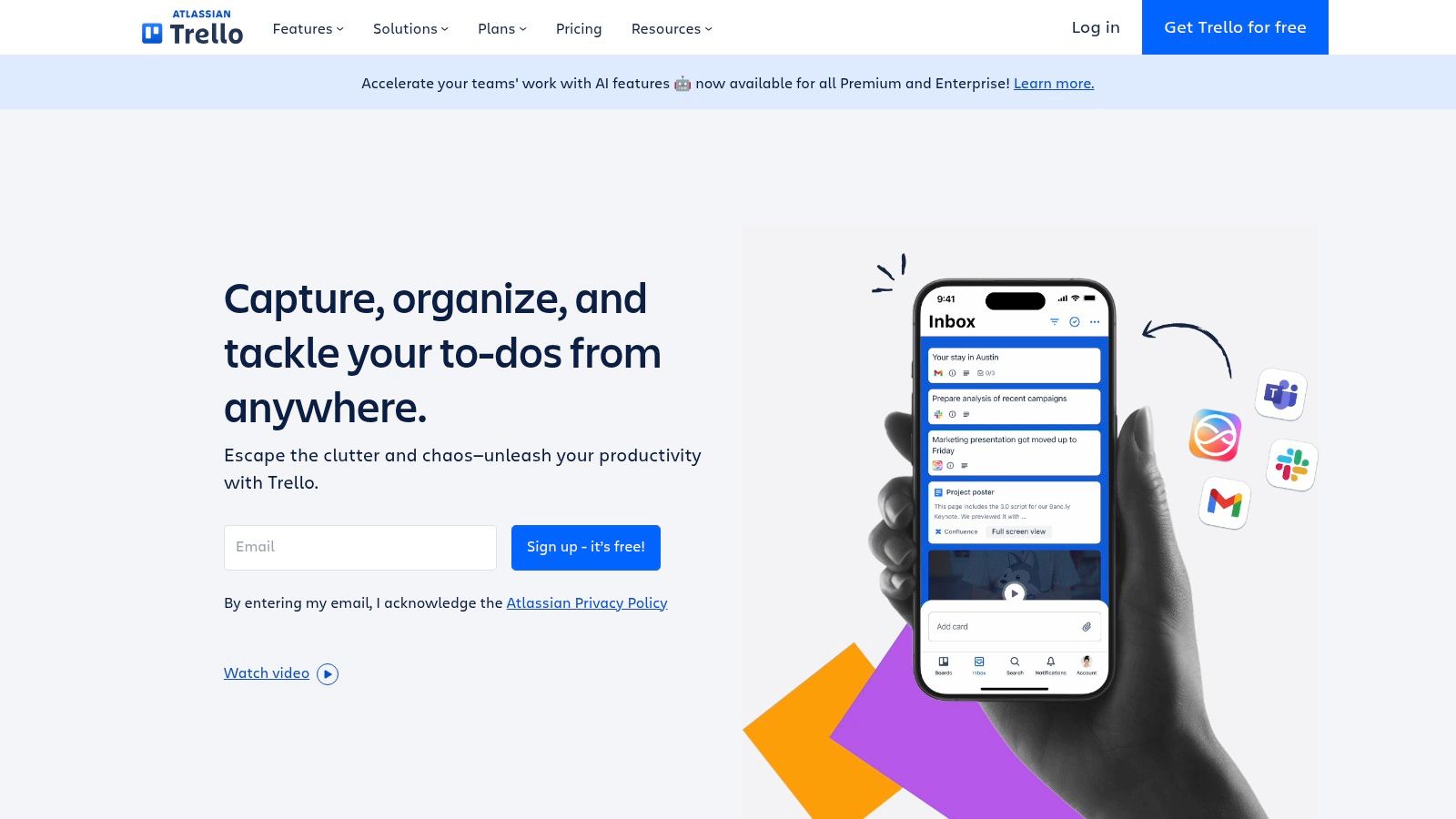
The platform shines when you need to track progress and collaborate. For a big move, you can create lists for "To Pack," "Packing in Progress," and "Packed," moving cards for each room between them. Each card can hold checklists, due dates, and attachments like photos or receipts. This makes it one of the best apps for home organization when multiple people need to stay on the same page without constant check-ins.
Navigating Trello for Home Projects
The key benefit is its flexibility. A vast library of community-made templates for household management, meal planning, and moving gives you a running start. The Butler feature can automate recurring tasks, like creating a "Weekly Cleaning" checklist every Monday morning. While the free version is robust, advanced features like different board views (Calendar, Map) and integrations (Power-Ups) are reserved for paid tiers. For simple to-do lists, it might feel over-engineered, but for project-based organization, it’s hard to beat.
- Pros:
- Highly visual and intuitive for managing multi-step projects.
- Excellent for collaboration with family or roommates.
- Large ecosystem of templates and automations.
- Cons:
- Can feel like 'too much tool' for simple, daily task lists.
- Key features like advanced views and unlimited Power-Ups require a paid plan.
Website: https://trello.com
12. Google Keep
For those who need a simple, no-frills tool for quick lists and reminders, Google Keep is a standout choice among the best apps for home organization. It functions like a digital bulletin board of sticky notes, perfect for jotting down room-by-room to-do lists, creating a shared grocery list with a partner, or snapping a picture of a pantry that needs restocking. Its strength lies in its speed and simplicity, avoiding the complexity of full-featured project management apps.
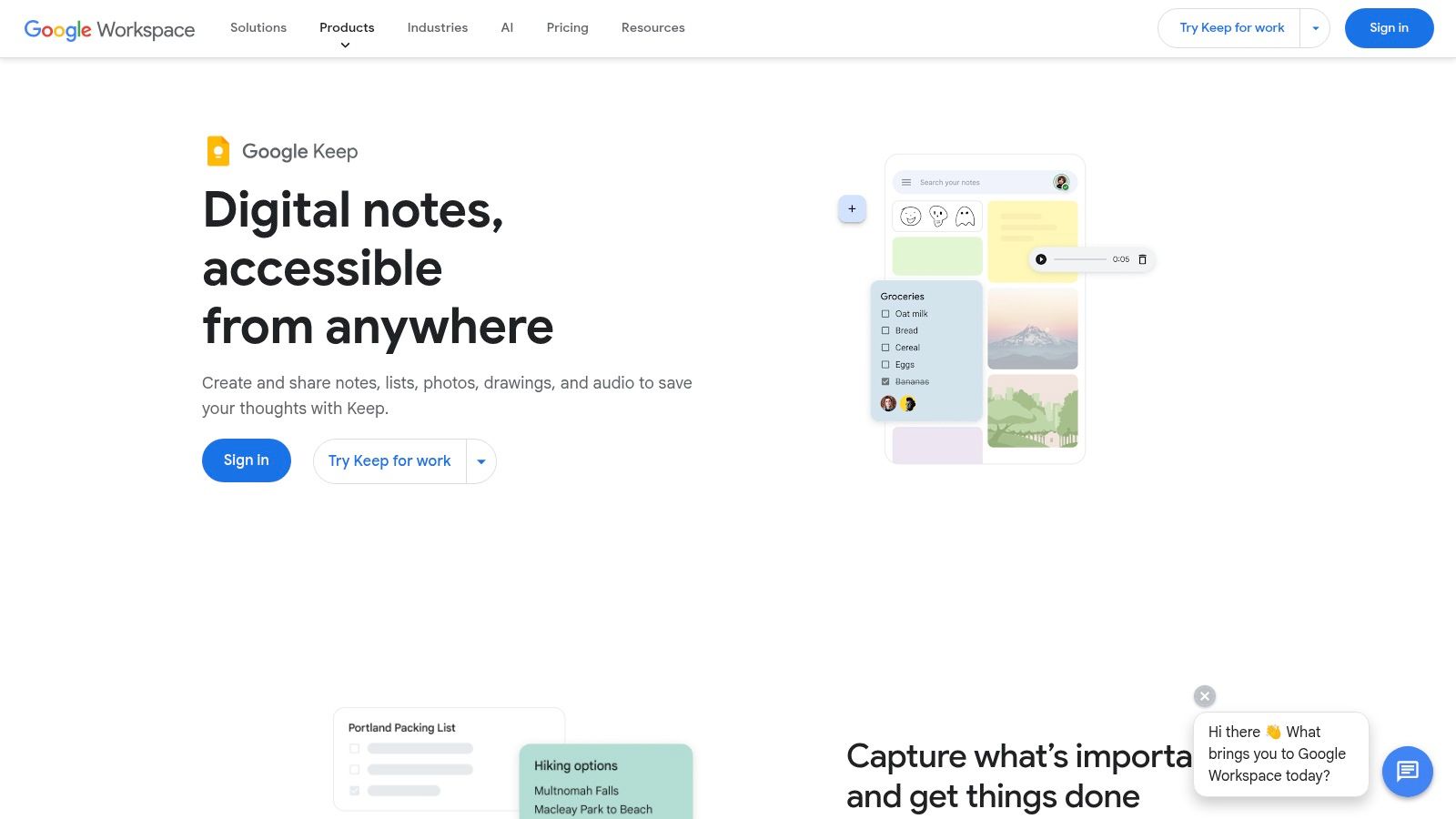
The platform’s real-time collaboration makes it ideal for households already embedded in the Google ecosystem. You can instantly share a checklist for weekend chores or a note about items to donate, and everyone sees updates as they happen. The ability to color-code notes, add labels, and include images provides just enough organizational power without creating the decision fatigue that can come with more robust systems.
Navigating Google Keep for Organization
Google Keep is completely free and syncs effortlessly across Android, iOS, and the web, ensuring your lists are always accessible. While its integration with Google Docs and Calendar is useful, recent changes have moved reminder functionality to Google Tasks, which has removed some beloved features like location-based reminders. It excels at managing the daily minutiae of a household but isn't designed for complex, multi-step decluttering projects.
- Pros:
- Completely free with no hidden costs.
- Extremely fast, simple, and intuitive interface.
- Excellent for shared lists and quick household notes.
- Cons:
- Lacks advanced features for structured project management.
- Reminder functionality has been separated into Google Tasks.
Website: https://workspace.google.com/products/keep/
Top 12 Home Organization Apps Comparison
| Product | Core features | UX & Quality (★) | Value / Price (💰) | Target (👥) | Unique selling points (✨) |
|---|---|---|---|---|---|
| DeClutter Now 🏆 | AI decision support, eBay selling, gamified progress | ★★★★☆ — instant, guided | 💰 Free start; monetizes items (avg $300+ reported) | 👥 Overwhelmed homeowners, families, resellers | ✨ AI breaks through decision fatigue; psychology-backed "Trash First" |
| Apple App Store | Curated marketplace, editorial collections, reviews | ★★★★☆ — vetted & polished | 💰 Free to browse; app pricing set by developers | 👥 iOS/macOS users, app discoverers | ✨ Editorial curation, Family Sharing, secure installs |
| Google Play Store | Android marketplace, ratings, Family Library | ★★★★☆ — broad device support | 💰 Free to browse; developer-priced apps | 👥 Android & Chromebook users | ✨ Wide Android reach, centralized billing & parental controls |
| Cozi Family Organizer | Shared calendar, shopping lists, recipes, agenda emails | ★★★★☆ — family-focused, reliable | 💰 Free core; Cozi Gold premium | 👥 Families coordinating schedules | ✨ Color-coded family calendar, shared lists & recipe box |
| AnyList | Shared grocery lists, recipe import, meal planning | ★★★★☆ — fast syncing | 💰 Free core; upgrade for web/features | 👥 Meal planners, families, kitchens | ✨ Excellent recipe import & auto-categorized lists |
| Sortly | Visual inventory with photos, QR/barcode labels, locations | ★★★★☆ — polished inventory UX | 💰 Free (100 items); business tiers scale | 👥 Homeowners, sellers, storage managers | ✨ Visual catalog + label printing & QR scanning |
| Tody | Auto cleaning plans, visual cleanliness indicators, gamified | ★★★★☆ — clear cleaning guidance | 💰 Paid premium for multi-home/sync | 👥 Individuals building cleaning habits, households | ✨ Room-based schedules & visual priority scores |
| Sweepy | Adaptive cleaning schedules, leaderboards, approvals | ★★★★☆ — motivating for shared homes | 💰 Subscription for best features | 👥 Families, roommates, shared households | ✨ Leaderboards, time-adaptive plans, kid approvals |
| Todoist | Tasks, shared projects, filters, automations, integrations | ★★★★☆ — powerful & reliable | 💰 Free tier; premium for advanced tools | 👥 Families and project-oriented users | ✨ Natural-language dates, robust automations |
| Microsoft To Do | Shared lists, Outlook/My Day, cross-platform sync | ★★★★☆ — simple & dependable | 💰 Free with Microsoft account | 👥 Mixed-device homes, Microsoft 365 users | ✨ Deep Outlook integration; free core feature set |
| Trello | Visual boards/cards, templates, Butler automations | ★★★★☆ — highly visual & flexible | 💰 Free tier; paid Power‑Ups/features | 👥 Multi-person households, project planners | ✨ Flexible board templates & automation ecosystem |
| Google Keep | Color-coded notes, checklists, images, collaboration | ★★★★☆ — lightweight & fast | 💰 Free with Google account | 👥 Google Workspace users, quick-lists | ✨ Instant notes/checklists with Docs integration |
Turn Overwhelm Into Action, Starting Today
Navigating the landscape of the best apps for home organization can feel like one more overwhelming task on an already long list. After reviewing everything from family schedulers like Cozi to powerful inventory managers like Sortly and gamified cleaners like Sweepy, it’s clear there isn’t a single "perfect" solution. Instead, the right tool is the one that directly addresses your biggest roadblock. The goal isn't to find a flawless system that will instantly organize your entire home overnight. The real objective is much simpler and more powerful: to make progress.
The most crucial takeaway from this deep dive is that action, no matter how small, is the antidote to paralysis. You don't need to coordinate five different apps or implement a complex, multi-stage project. You just need one small, tangible win to get started. Picking a single app and using it to tackle one tiny corner of one room is a monumental first step. That initial victory creates a ripple effect, building the momentum you need to keep going.
How to Choose Your Starting Point
The key to turning overwhelm into action is to correctly diagnose your primary challenge. Let's distill the options down to help you pinpoint the best first step for your unique situation:
-
If your problem is "clutter paralysis"… you're not alone. When you look at a pile of items and your brain freezes, that’s decision fatigue. Traditional methods that ask you to make complex emotional decisions first (like "does this spark joy?") often fail here. Your best bet is an app built on a psychology-backed methodology. An app like DeClutter Now, with its "Trash First" approach, is designed specifically to break this cycle. It guides you to make the easiest decisions first, creating quick wins that build the confidence and motivation to tackle harder choices later.
-
If your problem is coordinating people… and the chaos comes from missed appointments, double-booked evenings, or confusion over who is responsible for what, then a family or household organizer is your ideal starting point. Tools like Cozi or AnyList excel at creating a shared digital command center. Focus on implementing one shared calendar or one master grocery list. Don't try to use every feature at once; just solve the most immediate communication breakdown.
-
If your problem is a lack of routine… and cleaning tasks feel like an endless, thankless cycle, a gamified chore app like Tody or Sweepy can introduce structure and a dose of fun. The simple act of checking off tasks and seeing a visual representation of your progress can provide the dopamine hit needed to transform tedious chores into a satisfying habit.
Your First Actionable Step
The best app in the world is useless if it just sits on your phone's home screen. The real magic happens when you move from reading and researching to doing. The most powerful step you can take right now is the first one. Choose the tool that resonates most with your biggest struggle. Download it. And then, commit to using it for just five minutes. That’s it.
Don't think about organizing the whole house. Think about identifying three items for the trash pile. Don't think about planning the entire month. Think about adding one doctor's appointment to a shared calendar. This journey begins not with a perfectly organized home, but with a single, intentional action. You have the ability to break the cycle of feeling stuck. Pick your tool, start small, and prove to yourself that progress is possible, starting today.
Ready to finally break through the paralysis and see real progress on those boxes that have been sitting for years? DeClutter Now uses AI and a psychology-backed method to turn overwhelming decisions into simple, actionable steps. It’s time to turn clutter paralysis into progress.