
Ever stared at a box of stuff you want to sell and felt completely stuck? You know there’s money hiding in there, but the thought of figuring out what every single item is worth is exhausting. It's not laziness—it's classic clutter paralysis. For so many of us, that feeling is why those boxes sit in the garage for years, untouched. The sheer number of decisions freezes you in place.
But what if you could turn that overwhelm into action? Pricing your items right on eBay isn't about pulling a number out of thin air; it’s about a simple, psychology-backed approach. We're going to ditch the guesswork and build momentum, starting with a few quick wins that turn clutter into cash.
Moving Beyond Guesswork in eBay Pricing
That feeling of being paralyzed by decisions when looking at a pile of things to sell? I've been there. I had boxes sitting for years because every time I opened one, my brain just shut down. "What is this even worth?" is a surprisingly heavy question, and it’s often the biggest roadblock between you and a decluttered space.

This guide will show you how to price your items on eBay with confidence. We're not aiming for perfection; we're aiming for progress. You don’t need to become a pricing guru overnight. The goal is to make a few smart, simple decisions that build momentum, turning your unwanted stuff into real money.
The Three Pillars of Smart Pricing
Forget complicated algorithms. Nailing your eBay pricing comes down to three core ideas. Get these right, and you'll have the foundation to list things quickly and for the right price, breaking through that decision fatigue.
- Understand the Market: This isn't high-level economics. It's simply looking at real data to see what buyers are actually paying for your exact item, right now.
- Assess True Condition: Being objective about your item’s condition—from tiny scratches to pristine, in-the-box newness—is crucial. It sets realistic expectations and builds trust with buyers.
- Consider Buyer Psychology: Little things make a huge difference. Offering free shipping or enabling the "Best Offer" option can completely change how a buyer sees your price and nudge them to hit "Buy It Now."
I ran into this exact problem myself with a box of old band t-shirts from my college days. I was so overwhelmed I almost just dropped the whole box off at a donation center. But I decided to spend about an hour applying these same principles first. I was blown away to find that a couple of those "old shirts" were actually considered rare vintage finds.
By digging into what similar shirts had actually sold for, I turned that one box I almost gave away for free into over $300 in a single week. It had nothing to do with luck; it was about replacing a wild guess with a little bit of focused research.
That’s the real power of having a solid pricing strategy. It cuts right through that "clutter paralysis" and gives you a clear path. You can finally make progress on those boxes that have been gathering dust for years, turning that feeling of being overwhelmed into action and your unwanted items into money.
Finding Your Price with eBay Sold Listings
Stop guessing what your item is worth. The single most powerful pricing tool you have is already built right into eBay: its own sales history. The real secret to figuring out how to price items on eBay isn't looking at what other sellers are asking—it's digging into what buyers have actually paid for items just like yours.
The ultimate source of truth here is the "Sold & Completed Listings" filter. Ticking this one little box cuts right through all the wishful thinking and shows you the hard data. Once you apply it, you’ll see a list of prices, some green and some red.
- Green Prices: These are your goldmine. A green price means the item sold for that amount. It's direct, undeniable proof of what the market is willing to pay.
- Red Prices: These are the cautionary tales. A red price means the listing ended without a sale. A screen full of red is a dead giveaway that the asking price was just too high.
By looking at the ratio of green to red, you get an immediate, powerful snapshot of reality. If you see ten listings for a vintage Coach bag and only the two priced under $100 actually sold, you've just found your pricing ballpark.
Decoding the Data for the Perfect Price
That list of sold prices is more than just a single number; it gives you a pricing range. Your job is to find the sweet spot within it. You have to pay close attention to the small details in those sold listings, because they almost always explain why one item sold for more than another.
For instance, did the higher-priced listings include the original box? Were they a limited-edition color? Did the seller offer free shipping? Every one of these details nudges the final sale price up or down and helps you figure out where your item fits in.

To really nail your pricing, you have to spend time in these sold listings. This simple research trick gives you 90 days of sales history for free. As sellers have discussed for years, you just search for your item, then check the 'Sold Items' filter. If you're seeing tons of unsold listings and only a handful of sold ones, pricing your item just a hair below the average sold price can be a great way to generate a quick win. It's a tactic that has been shown to boost sales velocity by 25-40% for many sellers. You can find experienced sellers talking about this exact strategy in the eBay community forums.
Unlocking Deeper Insights with Product Research
For an even more powerful view, eBay’s mobile app now includes a "Product Research" tool that can pull up to three years of historical sales data. This is a game-changer for understanding an item's true long-term value.
This tool gives you some incredible metrics at a glance:
- Average Sold Price: What buyers paid on average.
- Price Range: The highest and lowest sale prices.
- Sell-Through Rate: The percentage of listed items that actually sold.
- Free Shipping: How many sellers offered free shipping.
This data immediately tells you if offering free shipping is standard practice for your item and lets you set a price based on solid evidence, not just a hunch.
The goal is to find the data-backed sweet spot. You want a price that's high enough to maximize your profit but competitive enough to attract immediate buyer interest. This research is the difference between an item that sells in a few days and one that sits in your listings for months, collecting digital dust.
How to Honestly Assess Your Item's Condition
Ever scrolled through eBay and seen two identical items sell for wildly different prices? One goes for $50, while the other fetches a cool $150. What gives? Nine times out of ten, the difference comes down to one crucial thing: condition.
If you want to build buyer trust and command higher prices, you need to move beyond vague descriptions like "good condition." It's about giving a brutally honest, objective assessment of what you're selling.
Being upfront about an item’s state isn't just about good manners—it’s a core part of a smart pricing strategy. A pristine, collector-grade item can absolutely command a premium price, but only if you can prove it. On the flip side, an item with a few flaws can still sell just fine if you're transparent. Buyers appreciate knowing exactly what they’re getting, warts and all.
This meticulous approach is what separates the pros from the casual sellers. You'll drastically reduce your risk of returns, sidestep negative feedback, and give buyers the confidence they need to hit that "Buy It Now" button.
Decoding eBay's Condition Categories
First things first, let's get the official stuff right. eBay gives you a simple framework to work with, and choosing the correct category is your first step toward setting accurate expectations.
- New: This is for items that are completely untouched. Brand-new, unused, and still in the original, sealed packaging. If that seal is broken, it’s not New anymore, even if it's never been used.
- Used: This is the catch-all category where most decluttered items land. It covers everything from an item that looks like it just came out of the box to something with obvious signs of wear. Because this category is so broad, your detailed description and photos are what will do the heavy lifting.
- For Parts/Not Working: This one's for the broken, the incomplete, or the non-functional. It’s a fantastic category for old electronics, appliances, or tools that someone might want to repair or scavenge for parts. Don't underestimate its value!
Getting the category right is the foundation, but the real magic happens when you get into the nitty-gritty details.
Your Objective Condition Checklist
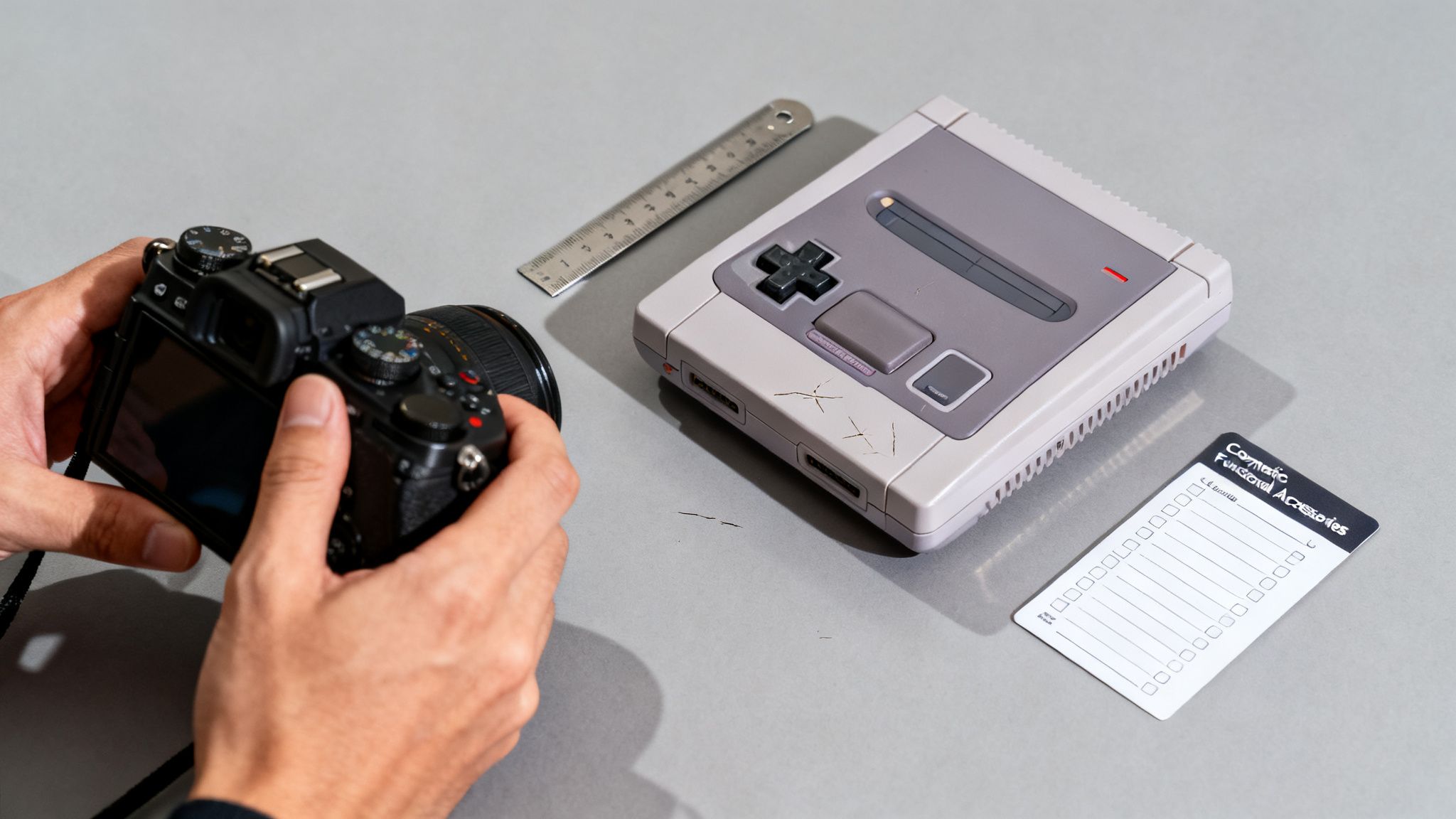
Let's put this into practice. Imagine you're selling a classic Super Nintendo console. Instead of just slapping "Used" on the listing and calling it a day, you need to put on your detective hat.
A thorough inspection really comes down to three key areas:
- Functionality: Does the thing actually work as intended? Power it on. Test every single button on the controllers. Pop a game in and play for a few minutes. Check that the audio and video outputs are clear and free of static. No guesswork allowed.
- Cosmetics: Now, get up close and personal. Are there scuffs or scratches on the casing? Look for that tell-tale yellowing of the plastic, which is incredibly common on older consoles. Note any chips, cracks, or dents, no matter how small.
- Completeness: What's in the box? List out every single component you have: the console itself, two original controllers, the AV cable, the power adapter. Having all the original bits and pieces can significantly boost the value.
A rookie mistake is to gloss over minor flaws, thinking the buyer won't notice. This almost always backfires. A buyer who discovers an undocumented scratch feels lied to. But a buyer who knew about that same scratch beforehand feels like they made a smart, informed purchase. Transparency is your best friend.
Documenting every flaw with sharp, well-lit photos is just as critical as describing it in the text. For a complete walkthrough, check out our guide on how to take photos for eBay that grab attention. This level of detail doesn't just prevent disputes—it gives you the solid proof you need to justify a higher price for items that are in genuinely great shape.
Figuring Out Your Real Profit After Fees and Shipping
That $50 you see when your item sells isn't what lands in your bank account. This is a classic rookie mistake that can quickly turn the thrill of a sale into a major letdown. The price a buyer pays is just the starting point; if you really want to get smart about pricing, you have to account for all the costs that crop up after the cha-ching.
This is where you separate the casual sellers from the profitable ones. It’s not just about what an item is worth—it’s about what’s left for you at the end of the day. Forgetting about eBay fees and shipping costs is a surefire way to lose money without even realizing it. Let's break it down so you can price with confidence and make sure every sale is a win.
Making Sense of eBay Fees
eBay’s fee structure can look a little intimidating at first, but for most sellers, it really just comes down to two key charges.
First up is the insertion fee, which is basically a listing fee. The good news? You probably won't have to worry about it. Most sellers get up to 250 free listings every month, so unless you're a high-volume power seller, this fee is off the table.
The one you absolutely need to pay attention to is the final value fee. This is the percentage eBay takes from the total sale amount—that includes the item price, the shipping charge, and any sales tax. For most product categories, this fee hovers around 13.25% of the total, plus a tiny fixed fee per order. This is the big one that can silently eat away at your profit if you don't account for it upfront.
I always think of the final value fee as the "cost of doing business." It's not a loss; it's a predictable expense. The trick is to build it directly into your asking price from the get-go.
Getting Your Shipping Costs Right
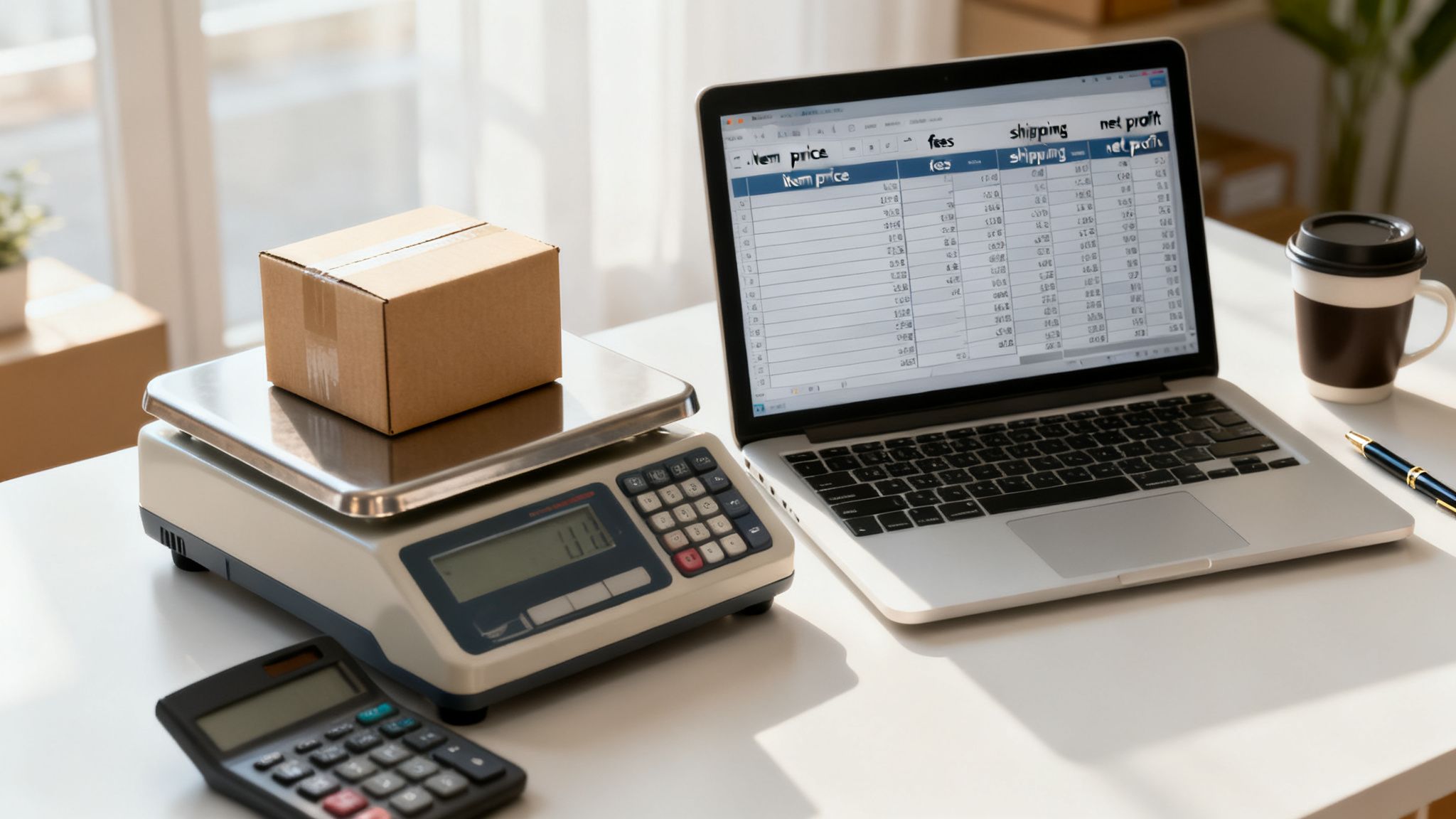
Shipping is the other major expense, and it's the one where you have the most control. I've seen so many sellers lose money by "guesstimating" shipping costs. Please, don't do it. The only way to get it right is to weigh your item after it's been packed up and is ready to go.
A simple digital kitchen or postal scale is one of the best tools you can buy as a new seller. Once you have the final weight and package dimensions, you can plug them into eBay’s shipping calculator to see the exact rates. This takes all the guesswork out of the equation.
Calculated vs. Free Shipping: Which to Choose?
Once you know your actual shipping cost, you have a strategic choice to make.
- Calculated Shipping: The buyer pays the exact shipping cost based on their zip code. This is the safest bet to ensure you never lose a penny on postage.
- Free Shipping: You roll the cost of shipping into your item’s price. Buyers are psychologically drawn to "free" shipping, and it can definitely make your listing stand out. Just remember to bump up your price to cover it!
Keeping track of these expenses is critical for understanding your true profitability. To get a better handle on this, check out this excellent professional guide to tracking business expenses.
The basic math to find your profit looks like this:
(Sale Price + Shipping Charged) – (Final Value Fee) – (Actual Shipping Cost) – (Your Item Cost) = Your Net Profit
To see this in action, here’s a breakdown of the costs for a sample item.
eBay Pricing and Profit Calculation Example
| Item | Sale Price | Final Value Fee (~13.25%) | Shipping Cost | Item Cost | Net Profit |
|---|---|---|---|---|---|
| Denim Jacket | $40.00 | $6.63 | $9.50 | $5.00 | $18.87 |
As you can see, the final take-home profit is less than half the listed sale price. Doing this quick calculation before you list is the secret to actually making money from your decluttering efforts. For more great advice on getting started, see our guide on selling unwanted items online.
Using Trends and Seasonality to Sell for More
Timing really can be everything when you're figuring out how to price items on eBay. Trying to sell a heavy wool coat in the middle of July or a surfboard in December often feels like shouting into the wind. It's because, most of the time, it is.
The smartest sellers I know understand that demand isn't a flat line. It has peaks and valleys driven by seasons, holidays, and even what's happening in pop culture. Learning to ride these waves is how you move from just pricing an item to strategically selling it. It's about listing your items when buyers are most desperate to find them. That one simple change can mean a much faster sale at a much better price.
Uncovering Seasonal Demand
Just think about how you shop. You're probably not looking for Christmas lights in March, right? That same basic logic holds true for almost everything on eBay. You can almost set your calendar by it.
- Spring Cleaning (March-April): This is when people are looking to get organized. Home storage solutions, gardening supplies, and patio furniture all see a big uptick.
- Summer Fun (May-July): It’s all about the outdoors. Think swimwear, camping gear, grilling accessories, and pool toys.
- Back-to-School (August-September): Demand for laptops, headphones, backpacks, and dorm room decor skyrockets.
- Holiday Season (October-December): This is the big one. Toys, new electronics, high-end fashion, and anything that looks like a great gift is in high demand.
When you line up your listings with these natural buying cycles, you’re putting your product right in the path of a stampede of motivated buyers.
Using Data to Spot Trends
Beyond the obvious seasonal shifts, there are deeper trends hiding in the data. You just have to know where to look.
This is where a little bit of research pays off big time. Tools like eBay's Terapeak can show you the sales volume for items over time, helping you spot patterns you’d otherwise miss. For example, you might see that sales for a certain electronic gadget drop by 20-30% in the summer but then surge over 50% in the fourth quarter. If you adjust your pricing strategy monthly based on that data, you're not just selling—you're maximizing profit.
Real-World Example: Vintage Video Games
Let's say you're sitting on a box of classic Nintendo games. Out of nowhere, a major gaming studio announces a modern remake of a beloved franchise. Suddenly, nostalgia kicks in, and everyone is searching for the original titles. A game that was a steady $25 seller last month could suddenly be hitting $75 or more. That’s a trend you can ride.
It works for other things, too. A hit Netflix show set in the 1980s can create a massive, unexpected demand for vintage Members Only jackets. These are the golden opportunities you can cash in on if you're paying attention.
You don't need to become a full-time market analyst. Just get into the habit of asking one question before you list: "Is now the absolute best time to sell this?" Sometimes, waiting just a few weeks can make a world of difference to your bottom line. To get a feel for what’s hot right now, check out our guide on what sells fast on eBay.
Common eBay Pricing Questions Answered
Alright, let's tackle some of the most common questions that pop up when you're trying to price your items on eBay. It's one thing to understand the steps, but it's another to feel confident making those final calls. These are the details that often trip sellers up, so let's clear the air.
Think of this as your go-to cheat sheet for navigating those tricky pricing decisions.
Auction vs. Buy It Now: Which Should I Choose?
This is the classic eBay dilemma, and honestly, the answer really depends on what you've got.
An auction-style listing can be a real winner for items that are rare, highly sought-after, or unique collectibles. Think vintage concert tees or a first-edition book. In these cases, you might just spark a bidding war that pushes the final price higher than you expected. If you do go the auction route, a word of advice: always set your starting bid at the absolute minimum you’d be happy to walk away with.
But for the vast majority of items you’re decluttering—think clothes, old paperbacks, or that extra phone charger—a "Buy It Now" (fixed-price) listing is your best bet. It’s straightforward, buyers know exactly what they're paying, and you maintain full control. No guesswork involved.
My Pro Tip: The sweet spot for most everyday items is a "Buy It Now" listing with the "Best Offer" option turned on. It’s the perfect combination. You set your ideal price but also signal that you’re open to a little haggling, which is often all it takes to close the deal faster.
How Do I Handle "Best Offer" Negotiations?
The "Best Offer" feature is fantastic for getting buyers engaged, but you need a strategy. When I'm setting my "Buy It Now" price, I typically list it about 10-15% higher than my target sale price. That little bit of padding gives me room to negotiate without eating into my profit.
To save yourself a headache, be sure to set an "auto-decline" price in your listing settings. This will automatically reject any ridiculously low offers, so you don't have to waste time responding to them. When a decent offer comes in, don't just accept or decline. Send a counteroffer! Meeting somewhere in the middle shows you're an active, engaged seller and often gets the item sold on the spot.
What if My Item Just Isn't Selling?
It happens to all of us. You've got an item that’s been sitting for 30 days without so much as a nibble. Don't let it just sit there going stale. It's time to take action.
- Re-check the Comps: First things first, hop back on eBay and search the "Sold Listings" again. Has the going rate for your item dropped since you first listed it? The market can change quickly.
- Audit Your Listing: Be brutally honest with yourself. Are your photos bright and clear? Is your title loaded with the keywords buyers are actually searching for? How does your total price (item + shipping) stack up against the competition right now?
- Relist for a Fresh Start: My most effective trick is to end the current listing and then use eBay's "Sell Similar" function. This creates an entirely new listing, which gives it a nice little boost in search visibility. When you relist, drop the price a bit—even just a dollar can be enough to catch someone's eye.
Ready to turn clutter paralysis into progress? DeclutterNow.ai can help you spot what’s worth selling and provides pricing suggestions to break through decision fatigue. Finally make progress on those boxes that have been sitting for years. Try DeclutterNow free → https://app.declutternow.ai.